

Starters
Set on Fire
Flames and smoke rising off the selected mesh's surface. A bigger mesh gets more flame.
VecFlow 0.1.0
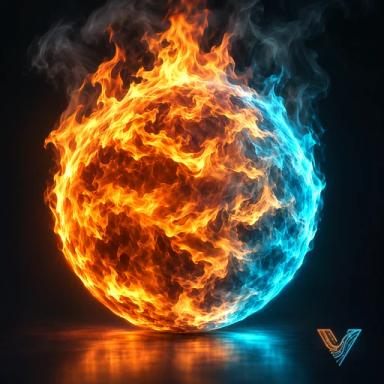
Flames and smoke rising off the active mesh's surface.
Select a mesh, then SidebarVecFlowNew SimulationFrom “mesh”Set on Fire, or AddVecFlowSet on Fire From “mesh”.
What it makes
Objects it makes
<mesh>mesh, where the particles come from (your mesh itself)
<mesh> Firemesh, the simulation: it holds the settings and plays the bake, not rendered
<mesh> Fire Smokevolume, the smoke and flames, made by the first bake
Its flow, “Fire”: one event
Event “Flames”
- Birth: Per Frame 3,000
- Position: Object Cube, In Surface
- Speed: Speed 0.6, Spread 0.25
- Smoke Source: Radius 0.08, Smoke 0.6, Fuel 1, Push 0.4
- Delete: Age 0.25
Sidebar settings it changes
Cell Size 0.04, Cooling 0.8, Fade 0.15, Swirl 0.4, Burn Rate 3, Expansion 0.4, Turbulence 1.5, Size 0.3, Viewport Share 0
The same fire as the Fire starter, with your mesh as the burner: particles are born all over its surface. A bigger mesh gets more of them (600 a frame for each 1.2 m² of surface, up to 4,000), so the flames are as thick on a big mesh as on a small one. The mesh still renders; the particles don't.
The bake adds “mesh Fire Smoke”, a volume object that plays the gas.
Try these first
- Cell Size: match it to the mesh. A small object needs a smaller cell for detail; a big one can take a bigger cell and bake faster.
- Edit FlowFlamesBirthPer Frame: more for a fire that covers the whole surface.
- Burn Rate: short, hot flames close to the surface, or tall ones.
Make it yours
- Burn part of it. Make a separate mesh of the part that burns (a face selection, separated with P) and start from that.
- A ready look. The Smoke and Fire panel's looks. See Smoke and fire looks.
- A charred look on the mesh is up to its own material: VecFlow doesn't change it.
Related
- The Fire starter
- Smoke and Fire, setting by setting