

Starters
Swarm
500 paper darts fly as one flock, following a leader you can move. A flow with Flock and Attract.
VecFlow 0.1.0
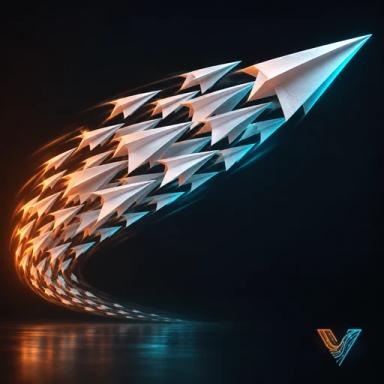
500 paper darts fly as one flock, following a leader you can move.
SidebarVecFlowNew SimulationParticlesSwarm, or AddVecFlowSwarm.
What it makes
Objects it makes
Dartmesh
Swarmmesh, the simulation: it holds the settings and plays the bake
Swarm Emitterempty, where the particles come from
Swarm Leaderempty
Shapes collection: Dart
Its flow, “Swarm”: one event
Event “Swarm”
- Birth: Mode All at Once, Count 500
- Position: Object Swarm Emitter
- Attract: Object Swarm Leader, Strength 3
- Flock: Cruise Speed 1.8, Steering 5, Sight 1.2, Spacing 0.3, Look Ahead 0.7
- Collide: Ground On, Bounce 0.2, Friction 0.1
- Rotation: Turn Along Motion, Axis X, Keep Doing It On, Bank 0.8
- Colour: Colour 0.6, 0.45, 0.4, Variation 0.35
- Shape
Sidebar settings it changes
Shapes Swarm Shapes
500 darts are let go together in a box 1.5 m above the cursor. Flock keeps them apart and heading the same way, Attract pulls them after Swarm Leader, an Empty going round a circle of 2.2 m radius, and Rotation points each dart where it flies and banks it into turns.
Try these first
- Move the leader. Key Swarm Leader yourself, and the flock follows.
- Edit FlowSwarmFlockCruise Speed: how fast they fly.
- Edit FlowSwarmFlockSpacing: how far apart they keep.
- Edit FlowSwarmAttractStrength: higher and they follow the leader more tightly.
Make it yours
- Your own shape. Put your model in the Swarm Shapes collection in place of Dart.
- More of them. Edit FlowSwarmBirthCount.