

Starters
Particles
The plain starter. A stream of particles from a small emitter, shaped by the sidebar's own settings.
VecFlow 0.1.0
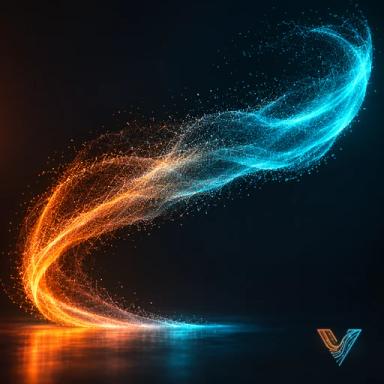
A stream of particles from a small emitter, shaped by the sidebar's settings.
SidebarVecFlowNew SimulationParticlesParticles, or AddVecFlowParticles.
The simplest starter, and the one Your first simulation walks through. It runs on the defaults of the sidebar's settings, so every panel is in front of you to change.
What it makes
Objects it makes
Particlesmesh, the simulation: it holds the settings and plays the bake
Particles Emitterempty, where the particles come from
No flow: the sidebar’s settings, changed from their defaults
None: it runs on the defaults.
The emitter is a cube Empty 10 cm across, at the 3D cursor; the ground is at the cursor's height. With the defaults, 2,000 particles a frame shoot up at 7 m/s, spread out, swirl in turbulence, bounce on the ground and live 3 seconds, coloured by their speed.
Try these first
- Per Frame (Emission): fewer for a thin jet, more for a dense spray.
- Spread: 0 is a straight jet; 4 a wide burst.
- Strength (Forces): 0 for clean arcs, 15 for a wild, gusty stream.
Make it yours
- Point it. The particles leave along the emitter's Z axis: rotate the emitter to aim the stream.
- Emit from your own mesh. Set Emitter to a mesh, then pick Emit From: its surface, or inside its volume.
- Colour. Colour Fixed for one colour (with Variation for a little difference between particles).
- Shapes. Point the Display panel's Shapes at a collection, and each particle shows as one of its objects.
- Collide with things. Add collider objects in the Collisions panel.
Related
- Your first simulation
- Emission, Forces and Collisions, setting by setting