

Starters
Rigid Bodies
Blocks raining down, tumbling and piling up. A flow with Rigid Body, and a Shapes collection of one block.
VecFlow 0.1.0
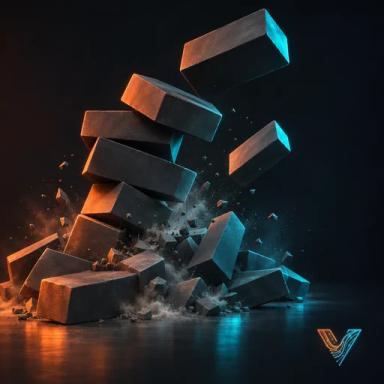
Blocks raining down, tumbling and piling up.
SidebarVecFlowNew SimulationBodiesRigid Bodies, or AddVecFlowRigid Bodies.
What it makes
Objects it makes
Blockmesh
Blocksmesh, the simulation: it holds the settings and plays the bake
Blocks Emitterempty, where the particles come from
Shapes collection: Block
Its flow, “Blocks”: one event
Event “Blocks”
- Birth: Per Frame 1, Stop On, End 60
- Position: Object Blocks Emitter
- Rotation
- Colour: Colour 0.8, 0.35, 0.1, Variation 0.25
- Gravity
- Rigid Body: Density 500, Friction 0.6, Bounce 0.1
- Collide: Ground On, Bounce 0, Friction 0.6
Sidebar settings it changes
Shapes Block Shapes
A block is born each frame for the first 60 frames, 2.5 m up, turned at random. Rigid Body makes each one a solid box: it tumbles, knocks into the others and stacks, with the weight of wood (500 kg/m³). The particles show as the 20 cm Block shape, painted by Block Paint in each particle's colour: orange, with some difference between blocks.
Try these first
- Edit FlowBlocksBirthEnd: more frames, more blocks.
- Edit FlowBlocksRigid BodyFriction: low and they slide off each other; high and they stack.
- Edit FlowBlocksRigid BodyBounce: a little for wood, more for rubber.
Make it yours
- Your own shape. Put your model in the Shapes collection in place of the Block (or beside it, with a Shape operator to mix them), and pick how Rigid Body holds it in the operator's Shape: Box (fastest, for bricks and crates), Ball (rolls), Hull (the shape wrapped tight, for rocks) or Concave (hollows and all, for cups and bowls; slower).
- Heavier or lighter. Density in kg/m³: about 2,500 for stone, 7,850 for steel. A heavy body pushes light ones aside.
- Things to land on. Name an object in Collide, or add one more Collide.
Related
- The Shatter starter: rigid pieces glued together
- Performance