

Starters
Soft Body
A cube of jelly drops, squashes and wobbles back into shape. A flow with Soft Body, on the mesh's own shape.
VecFlow 0.1.0
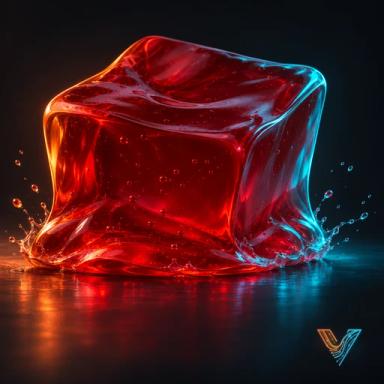
A cube of jelly drops, squashes and wobbles back into shape.
SidebarVecFlowNew SimulationBodiesSoft Body, or AddVecFlowSoft Body.
What it makes
Objects it makes
Jellymesh, the simulation: it holds the settings and plays the bake, not rendered, hidden
Jelly Emitterempty, where the particles come from
Jelly.001mesh, not rendered
Its flow, “Jelly”: one event
Event “Jelly”
- Birth: Mode Soft Body, Object Jelly.001, Resolution 0.04
- Gravity
- Soft Body: Stiffness 30,000, Damping 0.35, Density 1,050
- Collide: Ground On, Bounce 0, Friction 0.4
A 40 cm cube starts 80 cm above the cursor. Birth fills it with particles 4 cm apart, and Soft Body joins them into an elastic solid. Stiffness is the real thing, in pascals: about 30,000 holds a block this size up against its own weight. After the bake a new object, its name ending in (VecFlow), shows the cube's mesh moved by the particles, so you see a smooth surface rather than points.
Try these first
- Edit FlowJellySoft BodyStiffness: lower for a softer wobble and a deeper squash, higher for firm rubber.
- Edit FlowJellySoft BodyDamping: higher and the wobble dies away sooner.
- Edit FlowJellyBirthResolution: smaller follows the shape more closely and bakes slower.
Make it yours
- Your own shape. Point Edit FlowJellyBirthObject at a closed mesh.
- Its look. The Jelly material on the mesh is an ordinary Blender material: change it as you like.