

Flows, events and operators
How a flow works: events that hold a stack of operators, particles going from one event to the next along wires, and the order things happen in each step.
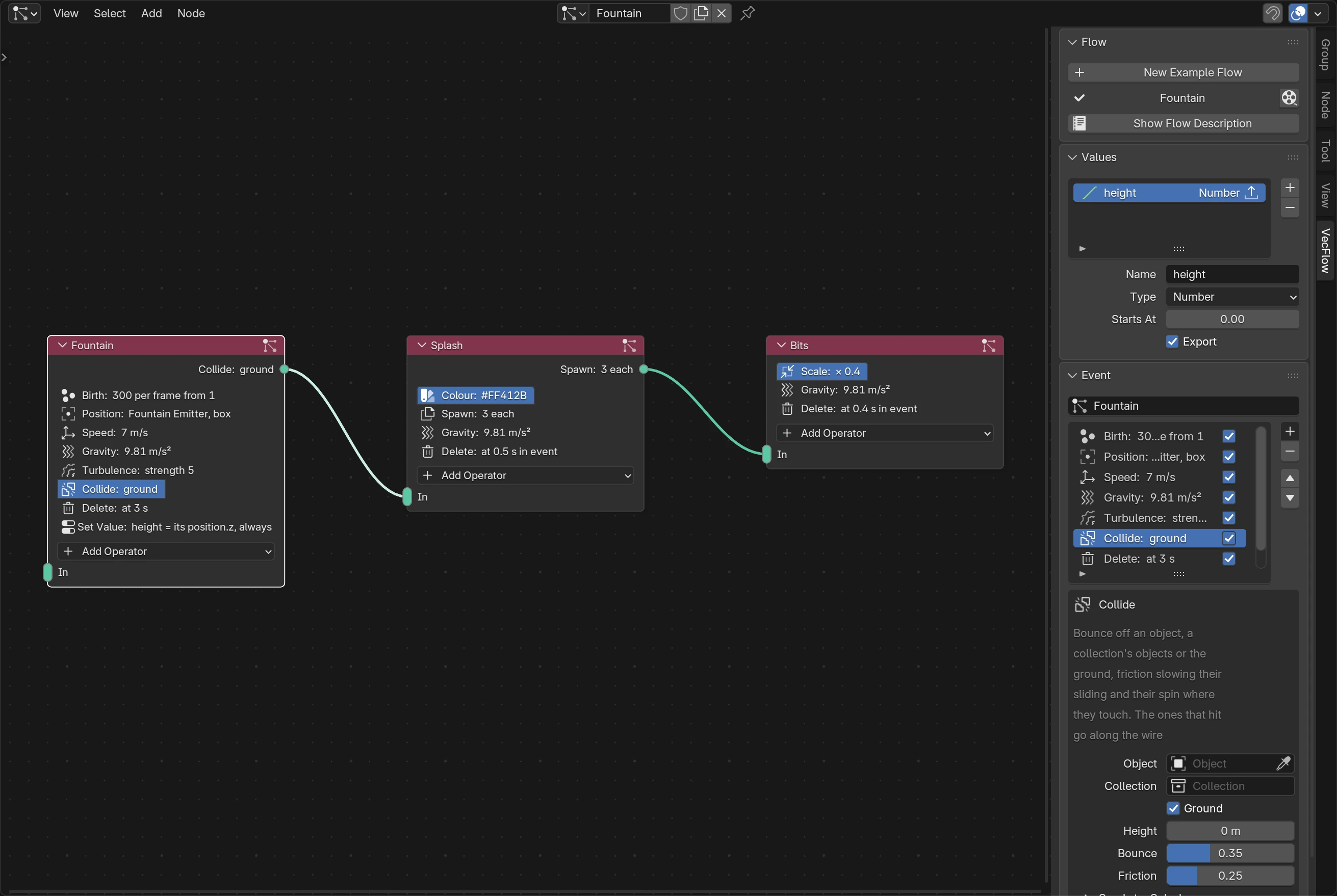
A flow is a simulation built from small steps, in Blender's node editor. Each node is an event: a list of operators that run top to bottom on the particles in it. Wires carry particles from one event to another. Most starters are flows, and any simulation can be turned into one.
Getting a flow
- Make one from a starter that has one: Fountain, Rigid Bodies, Fire, Smoke, Explosion and Liquid, and Set on Fire, Fill with Water and Shatter from a mesh.
- Convert to Flow, beside the Flow field of a simulation without one, makes a one-event flow that does what the sidebar's settings do, and bakes the same. Clearing the Flow field goes back to those settings.
- New Example Flow, in the flow editor's sidebar, makes the Fountain flow as a new node tree. Pick it in a simulation's Flow field to use it.
- Start from nothing: in a node editor set to the VecFlow type, press New, then ShiftA ▸ Event.
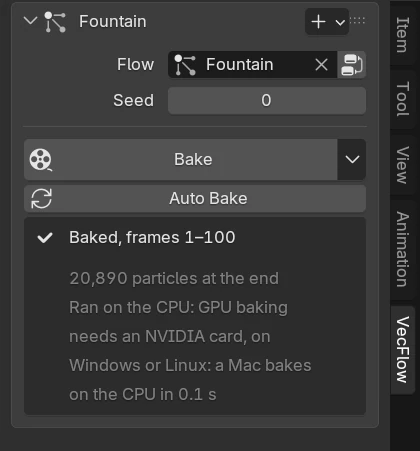
A simulation uses the flow named in its Flow field. Several simulations can use the same flow: each bakes its own, with its own emitter, seed and display. Editing the flow marks all of their bakes old.
Events
An event is a node with an input on its left and a list of operators. Its name is the node's name; rename it at the top of the editor's Event panel. Wires and anything that names it follow the rename.
Every particle is in exactly one event, and only that event's operators act on it. A particle enters an event:
- by being born there, by a Birth; or
- along a wire from another event.
It stays until an operator sends it on, or deletes it. An event's input takes any number of wires.
Mute an event (M) to leave it out of the flow, operators and all: a wire into it then acts as if it weren't there, and its particles aren't made. A muted wire is left out the same way.
Operators
Add operators to the selected event with the node's Add Operator button, or the + beside the list in the editor's sidebar. A new operator goes below the selected one. The menu has five groups, Birth, Forces, Physics, Looks and Tests: all operators has each one.
Each operator in the list has a checkbox: off, it's left out, as if it weren't there. The editor's sidebar shows the selected operator's settings; the node shows a few words on what each is set to.
What runs when
Some operators act on every particle in the event, every step: the forces (Gravity, Drag, Turbulence…) and the tests. Others act once, as a particle enters the event: Speed, Position, Scale, Rotation, Spin, Colour, Shape and Set Value. So Speed in an event sets the speed particles leave a Birth with, or come in along a wire with; after that, forces take over.
Rotation and Set Value have Keep Doing It, to act every step instead.
What an entering operator sets stays with the particle when it moves on: a particle coloured red in one event is still red in the next, until another Colour changes it. Its values go with it too.
Wires: sending particles on
Some operators pick particles out and send them along a wire to another event. Each has an output on the node's right, beside its row:
| Operator | Sends |
|---|---|
| Collide | Particles that hit |
| The tests: Age Test, Speed Test, Struck Test, Chance Test, Group Test, Distance Test, Value Test | Particles that pass the test |
| Spawn | The new particles it makes (it needs a wire) |
| Follow Curve | Particles reaching an open curve's end |
| Goal | Particles arriving on their targets |
| Bind | Particles losing a bind |
| Whitewater | Three wires, Spray, Foam and Bubbles: each kind goes to its own event |
Drag from an output to another event's input. An output takes one wire: the particles go to one event. To send them to two places, follow the first event with a Chance Test or another test that splits them.
A test with no wire does nothing: the particles it would pick stay where they are. The sidebar says so under the operator: “Not wired: matching particles stay”.
One test per particle per step. Once a test has picked a particle out, the tests below it in the stack leave it alone that step: the first match, top to bottom, wins. A particle that a Delete above has removed isn't sent either. Collide finds hits after particles move, so a test that picked the particle that step wins over a hit.
Each step, in order
A bake works out each frame in a few substeps (see Quality and seeds). In each one:
Births. Each Birth makes its new particles, spread evenly through the step.
Each event runs its stack, top to bottom. Forces change how particles move; entering operators set those that just arrived; tests mark particles to send on, and Delete marks them to remove.
Particles meet. Flocks steer, particles pull each other (Particle Force), pinned ones are held, liquids are solved and make their whitewater, binds are made, then bumping and binds are solved together, then rigid bodies. These work across events: particles with Particle Physics in one event bump into those with it in another.
Particles move, and bounce off their event's colliders, swept from where they were to where they go, so fast ones can't pass through thin walls.
Sends and deletes happen. Sent particles join their new event. The entering operators at the top of its stack set them at once, so a frame shows them as they arrived. Ages tick on.
The seed and random numbers
Random things (Spread, Variation, Chance Test, a random Rotation) come from the simulation's Seed, in its panel. Change it for another take of the same simulation.
Each event and operator keeps its own random numbers as you edit: adding, removing or moving one operator leaves the others' as they were. A copied event gets new ones.
Problems
The editor checks the flow as you edit it. What it finds shows in the simulation's panel, in the editor's Flow panel and, for one event, in its Event panel; the operator it's about is marked in the list.
- Errors (red) stop a bake: an operator missing an object, a Spawn with no wire, two Liquids in one event.
- Warnings don't: something that does nothing, or not what you might think.
Each operator's page lists the problems it may raise, and Messages has them all. The rules about what goes with what are on How order and mixing matter.